
Restaurant profit optimization

GoTab POS — Deep Dive Review

Entertainment commerce platform built for flexibility—device-agnostic POS, mobile ordering, KDS, tab management, and self-service kiosks for any F&B operation, from standalone restaurants to breweries, food halls, eatertainment venues, and complex high-volume operations.

Quick Summary

TL;DR

The 30-second version for busy operators

Verdict: Flexible platform for any F&B operation — from standalone restaurants to breweries, food halls, eatertainment/FECs, hotels, and country clubs. Purpose-built features shine in complex, high-volume environments, but the platform scales down easily as a simple, powerful POS for any restaurant.

Shines at: Device-agnostic flexibility (use your own tablets), guest-centric mobile ordering, 200+ integrations, advanced KDS with fire times, item availability, and throttling, and transparent transaction-based pricing.

Know Before You Sign

Payments processed through GoTab's own integrated processor. Payment terminals must be purchased through GoTab. Purpose-built features shine in complex environments, but the platform scales down easily for any restaurant.

US-focused. 4-6 week typical onboarding. Feature availability varies by configuration.

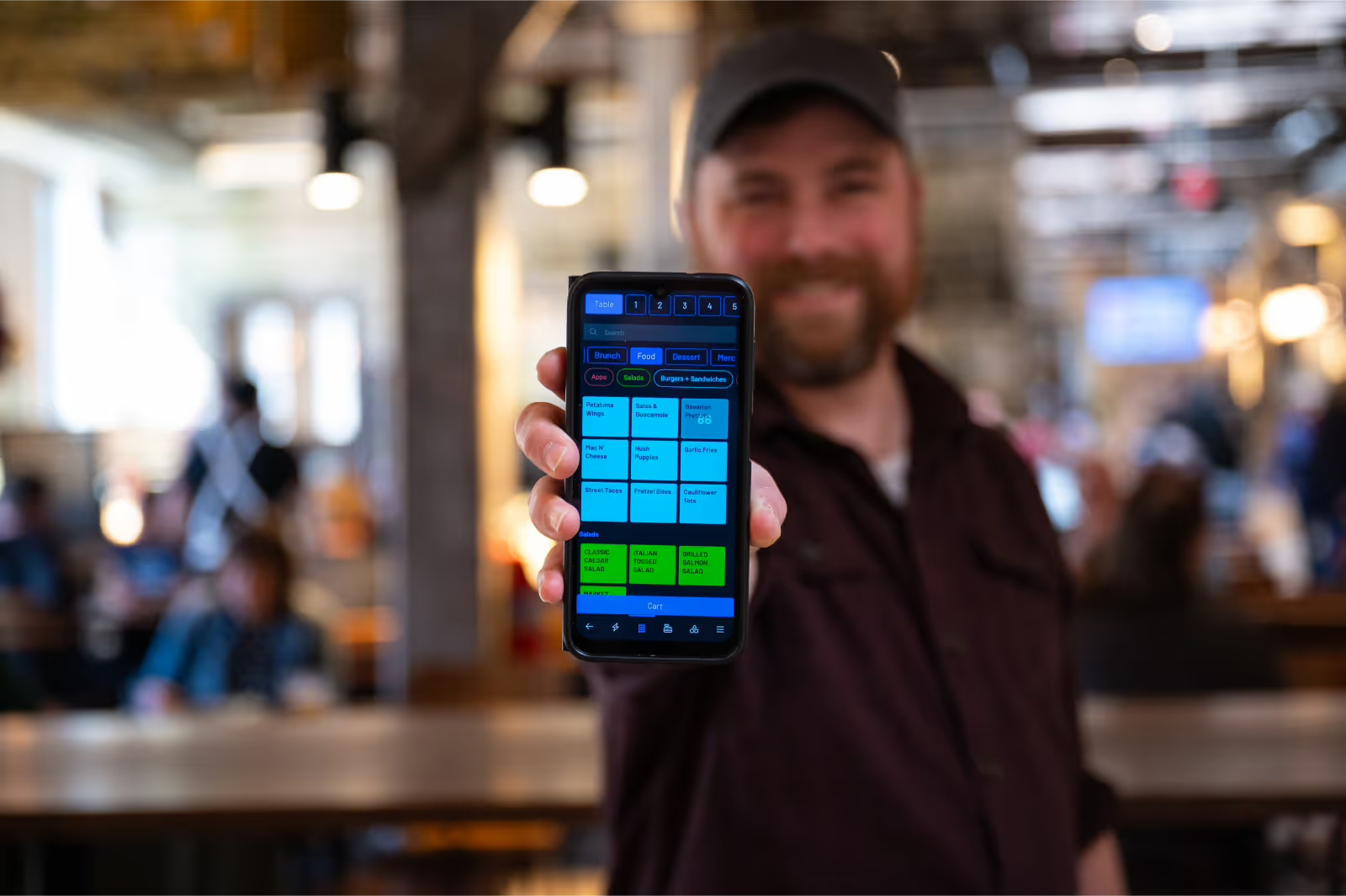
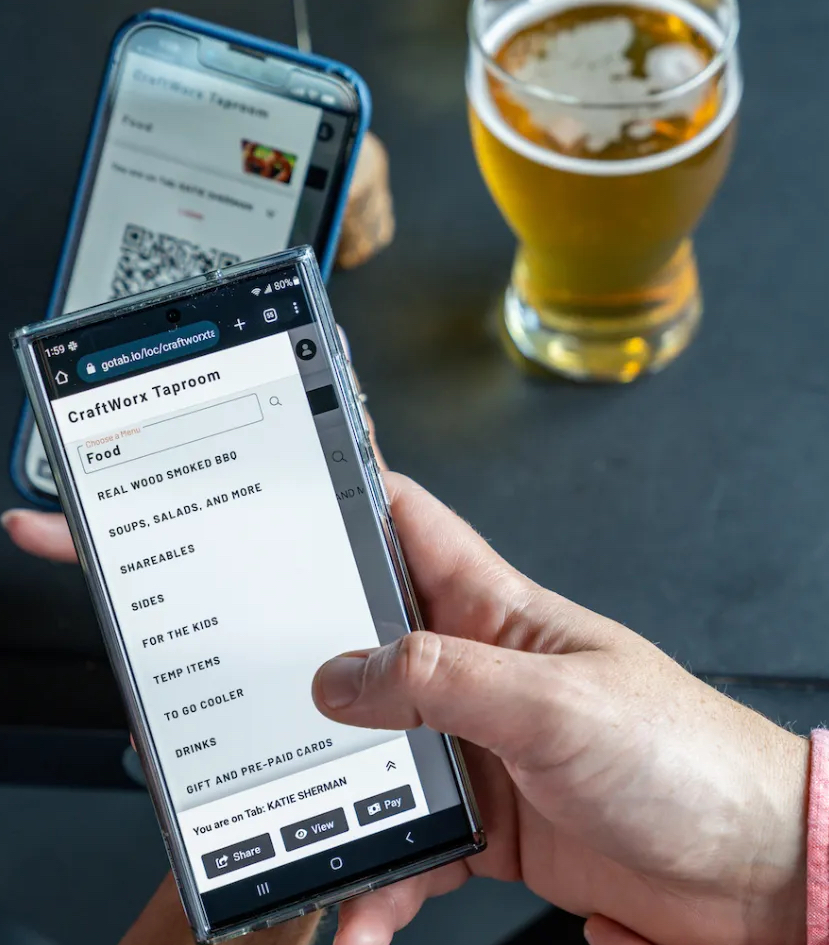
GoTab Handheld POS GoTab Mobile Menu

Background

Who Is GoTab?

Entertainment Commerce Platform

GoTab positions itself as "the entertainment commerce platform designed to optimize experiences AND efficiencies"—the only platform that puts the guest at the center of the experience. Unlike traditional POS systems that force operators into rigid workflows, GoTab is built to flex around your business — whether you're running a standalone restaurant or a multi-concept operation.

Founded with a focus on breweries and taprooms, GoTab has expanded to serve standalone restaurants, food halls, hotels, resorts, country clubs, eatertainment venues (FECs), and complex multi-concept operations. In 2024, GoTab ranked No. 448 on the Deloitte Technology Fast 500™ with 238% year-over-year revenue growth.

The platform received multiple "Best of" category badges from Gartner Digital Markets brands and continues to roll out innovations like their advanced Pricing Rules Engine (supporting Minnesota's price transparency law compliance).

Platform Overview

What GoTab Does & Who It's For

Core Features

Guest-Centric Stack

  • Ordering & Guest Experience: Flexible QR, mobile, counter, bar, kiosk, or server-led ordering with smart upsells, open tabs, and real-time guest communication.
  • Point-of-Sale: Cloud-based, fully customizable POS that adapts to any service model with mobile tab management, dynamic menus, and flexible pricing.
  • Kitchen Operations (KDS): Advanced routing, fire times, throttles, item availability, and station-level controls for faster, more accurate kitchen workflows.
  • Payments & Tabs: Frictionless digital payments, device-free tabs, and self-checkout to reduce walkouts and speed up table turns.
  • Mobile Ordering & Contactless: QR order-and-pay, order-ahead, and self-service that increase check averages and improve labor efficiency.
  • Loyalty, Memberships & Subscriptions: Built-in loyalty tools, recurring memberships, and subscription programs to boost retention and predictable revenue.
  • Multi-Venue & Multi-Concept Ops: Unified ordering, shared or split tabs, vendor payouts, and centralized oversight across multiple revenue centers.
Feature availability depends on configuration. Confirm with sales.

Who It's For

Best Fit

  • Breweries & Brewpubs (order-from-anywhere flexibility, easy tab sharing)
  • Food Halls & Multi-Vendor Operations (unified ordering, vendor payouts)
  • Eatertainment & FECs (high-volume, multi-activation zones)
  • Hotels & Resorts (multiple revenue centers, mobile ordering)
  • Country Clubs & Membership-Based Venues (charge-to-account, spend tracking)
  • Pickleball Venues & Activity-Based Concepts (memberships)
  • Complex, High-Volume Operations (multiple bars/kitchens needing advanced routing)

May Not Be Best For

  • Operations that don't have a large food & beverage component (e.g., retail only).
  • Very small operations that don't need hybrid service flexibility.

Investment

Pricing & Payments Reality

What to ask before you sign

Pricing Model

Transaction-Based

  • Monthly Fees: Transparent, flat monthly fees—includes POS, KDS, mobile ordering, tab management, menu tools, reporting, 24/7 support, access to 200+ integrations.
  • Processing Fees: "We make money when you do"—transaction-based processing with industry-leading rates.
  • Hardware: Buy GoTab hardware or use your own tablets (Android, iOS, Windows)—keeping startup costs low. Payment terminals must be purchased through GoTab.
  • Set-Up & Installation: One-time fees cover installation, training, menu building, report setup, and integration configuration.

Add-On Features

  • Memberships/Subscriptions
  • Gift Cards
  • Marketplace/Vendor tools
  • Insufficient funds and chargeback protections
  • Enhanced fulfillment tools
GoTab offers 0% financing options through their Hardware Leasing Program. Ask about 24 and 36 month terms to spread upfront costs with no interest.

Payments Reality

GoTab Processing

  • Card processing runs through GoTab's own integrated processor—bring-your-own processor not supported.
  • Processing rates are transaction-based and competitive; GoTab claims "industry-leading" rates.
  • Add +0.85% for American Express, JCP, Corp cards.
  • Add +1.5% for International transactions.
  • Offline mode available—service continues if internet drops.
  • Supports tap, chip, swipe, Apple Pay, Google Pay.

Request your effective rate and all fees in writing before signing. Credit surcharging options available.

Processing Fees

Card Processing Snapshot

Illustrative U.S. ranges only

GoTab's Pricing Model

  • Model: Transaction-based (no flat monthly POS fees on base plans)
  • Processed via: GoTab's integrated processor (required)
  • Amex/Corp/JCP: +0.85% surcharge
  • International: +1.5% surcharge
  • Offline mode: Yes—continues processing when internet drops

Request a formal quote from GoTab for your actual pricing. Rates may vary by volume and configuration.

Hardware & Setup

Device Options & Ecosystem

Device-Agnostic Philosophy

Use Your Own Hardware

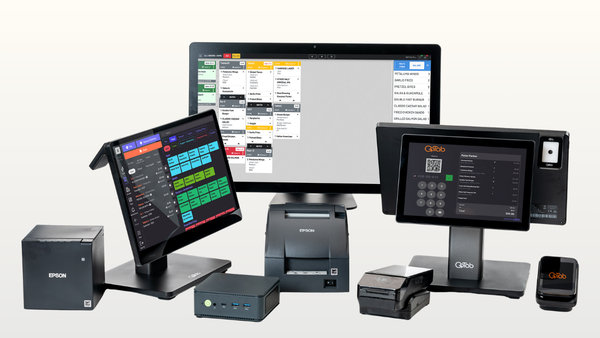
  • Runs on any Internet-connected Android, iOS, or Windows tablet or phone
  • Repurpose existing hardware—no forced equipment purchases
  • GoTab-vetted hardware options available
  • Exception: Payment terminals must be purchased through GoTab
  • Hardware Leasing: GoTab offers a Hardware Leasing Program with 0% financing — spread costs over 24 or 36 months

POS & Handhelds

Flexible Options

  • Tablet POS: Cloud-based, runs on existing tablets
  • Handheld POS: Large screen, long battery life, sleek design for tableside service
  • Counter POS: Standard terminal setups available
  • Mobile tab management and dynamic menus

Self-Service & Kitchen

High-Volume Ready

  • Self-Ordering Kiosks: Bypass queues, increase order accuracy, reduce labor costs
  • KDS: Advanced routing, fire times, throttles, item availability, and station-level controls
  • Printers: Cloud and standard options
  • Integration with self-pour tap walls (Pour My Beer, iPourit, WineEmotion)
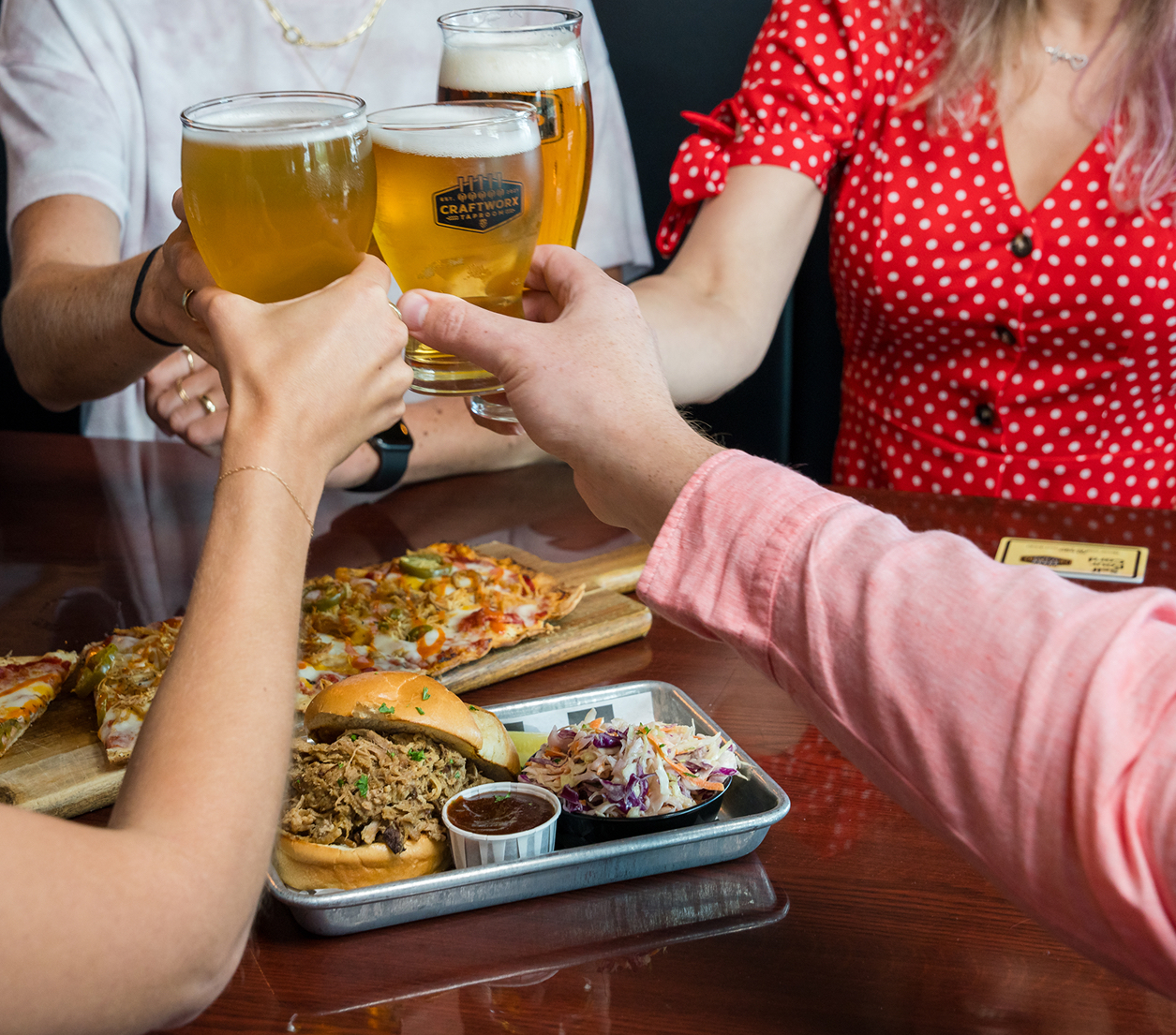
GoTab in action at a taproom

Ecosystem

Integrations (200+ Partners)

Restaurant Operations

Back-Office & Accounting

  • Accounting: Restaurant365, QuickBooks Online, MarginEdge
  • Inventory: Craftable, Ekos, meez, Ohanafy
  • Scheduling: 7shifts, Schedulefly
  • Reservations: OpenTable, SevenRooms, Tripleseat, Rex Reservations
  • Delivery: Deliverect

Specialty Integrations

Unique Capabilities

  • Self-Pour: Pour My Beer, iPourit, WineEmotion, Intercard
  • Marketing: Klaviyo
  • Hotel PMS: Stayntouch PMS, Mews
  • Activity/Sports: CourtReserve
  • Security: Solink
  • Legacy POS: MICROS 3700, MICROS Simphony, POSitouch (via Omnivore)

Open API allows integration with virtually any modern system.

Honest Take

Pros & Cons

✓ Pros

  • Device-agnostic—use existing tablets, keep costs low.
  • Guest-centric mobile ordering without requiring app downloads.
  • 35-50% higher check totals reported by operators.
  • 25% faster table turns through optimized workflows.
  • 30-50% improved labor efficiency (avg $83 SPLH—84% above industry median).
  • 200+ integrations including MarginEdge, R365, 7shifts.
  • Built-in memberships, subscriptions, and loyalty.
  • Advanced KDS with fire times, throttling, station controls.
  • Self-pour tap wall integrations (Pour My Beer, iPourit).
  • Multi-vendor/food hall split payments and vendor payouts.
  • No long-term contracts required.
  • 24/7 support and dedicated Customer Success Manager.

✗ Cons

  • Payments must go through GoTab's integrated processor—no BYOP.
  • Payment terminals must be purchased through GoTab.
  • Feature depth may be more than needed for operations without a food & beverage component.
  • Some users report occasional credit card machine freeze-ups (quick reset fixes).
  • Guest-facing ordering requires brief staff explanation for some demographics.
  • Printer connections require onboarding specialist setup.
  • Documentation for some new features can lag behind releases.

Getting Started

Support & Onboarding

Support Channels

  • 24/7 Support: Chat, call, and email
  • Response Time: 99% quick response rate reported
  • Dedicated CSM: Paying customers get dedicated Customer Success Manager
  • Onboarding Meetings: Weekly/monthly check-ins during transition
  • Knowledge Base: Extensive documentation and guides

Reviews note support is responsive and helpful; phone support almost always answered or quick callback.

Onboarding Process

4-6 Week Typical

  • Dedicated onboarding specialist guides setup
  • Go live in 4-6 weeks typical (can be faster)
  • Installation, training, menu building, report setup included
  • Integration configuration for your existing systems
  • Can repurpose existing tablets—minimal hardware transition

Timeline varies based on complexity and operator readiness. Notify of hard deadlines.

Results

GoTab by the Numbers

35-50% higher check totals driven by easier ordering, upsells, and reduced friction.

25% faster table turns through optimized workflows and real-time communication.

30-50% improved labor efficiency by enabling staff to serve more guests with fewer steps.

$83 avg SPLH (Sales Per Labor Hour)—84% above industry median. Operators spend 14% less on labor.

Options

Alternatives & Recommendations

Closest Alternatives

POS Competitors

  • Toast: More established, unified stack, strong for traditional full-service.
  • SpotOn: All-in-one stack, good for growth-focused independents.
  • Square for Restaurants: Simpler, good for small ops and quick setup.
  • Arryved: Also focused on breweries; simpler but fewer features.

For Specific Use Cases

  • Food Halls: GoTab's multi-vendor split is hard to beat.
  • Breweries: GoTab vs. Arryved—GoTab has more scale/features.
  • Hotels: GoTab integrates with hotel PMS systems.

What We Recommend

  • If you're a brewery, food hall, or eatertainment venue—GoTab is purpose-built for you.
  • If you want hybrid service models (QR + server + kiosk)—GoTab excels.
  • GoTab also works well as a simple POS for standalone restaurants — don't let the feature depth intimidate you.
  • Get quotes from 2-3 vendors; compare total cost of ownership.
  • Ask about contracts, renewal terms, and exit fees before signing.

Common Questions

GoTab POS FAQ

Do operators need to buy new hardware with GoTab?

Mostly No

GoTab is hardware agnostic—use existing Android, iOS, or Windows tablets. However, payment terminals must be purchased through GoTab. Existing hardware can often be reused if not proprietary or locked.

Can an operator use their own payment processor?

No

GoTab requires use of their own integrated processor. This enables advanced features, better reporting, and a seamless guest experience—while maintaining competitive rates.

How long does it take to go live with GoTab?

4-6 Weeks Typical

Timelines vary based on setup complexity and operator readiness. Some go live faster. Notify your GoTab Account Executive of important launch deadlines.

Does GoTab require long-term contracts?

No

GoTab does not require long-term contracts. As part of their flexible model, they also don't require hardware "lock-in"—you can use your own devices.

Does GoTab work offline?

Yes

When internet drops, GoTab automatically switches to on-premises mode. POS, handhelds, kiosks, KDS, and payment terminals continue working. QR ordering requires internet, but staff can place orders directly.

What types of businesses is GoTab best for?

Flexible Operations

Any F&B operation — from standalone restaurants to breweries, food halls, eatertainment/FECs, hotels, country clubs, and any complex high-volume operation needing flexible ordering across multiple service models.